
Task Bar Cube Gold Farming: Upgrades, Sales & AFK Rewards
Compare enemy gold upgrades, gear sales, AFK rewards, quests, and advertised bonuses while protecting equipment you need for progression.
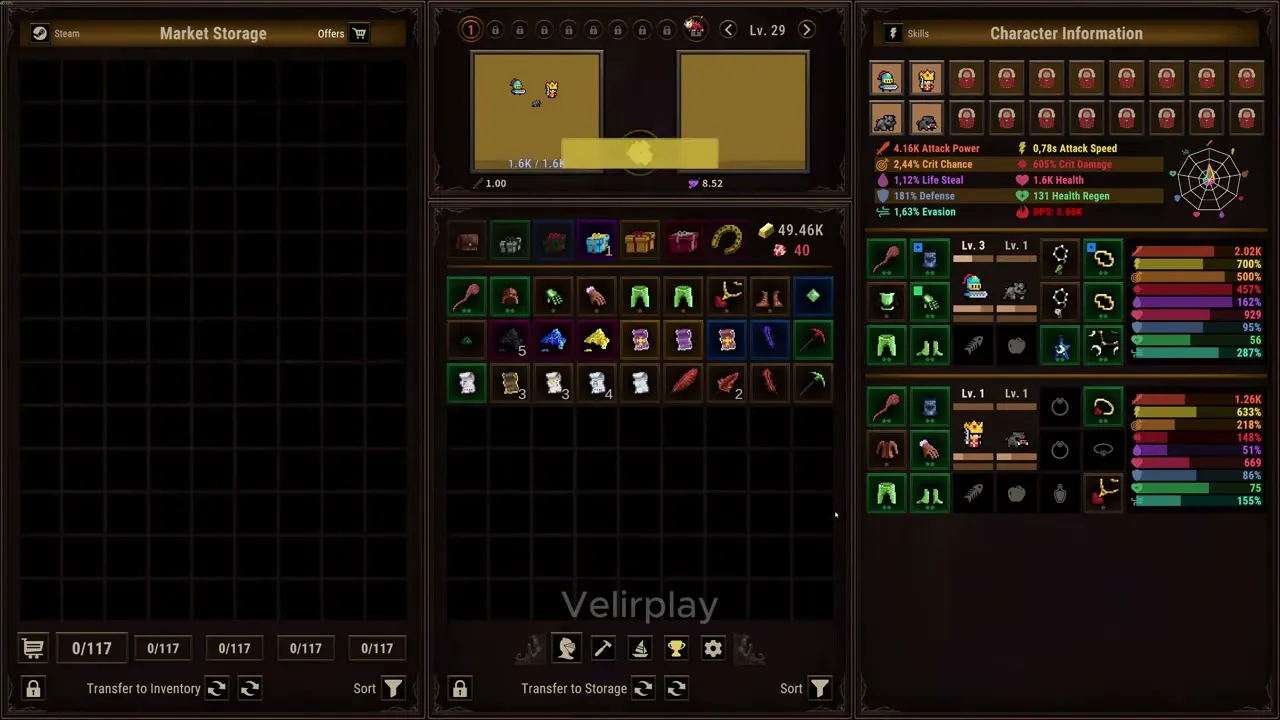

Task Bar Cube Gameplay Walkthrough LONGPLAY 4K 60FPS PC - No Commentary — Velirplay
General game footage used as fallback media. This is not a keyword-specific tutorial or device benchmark; use the cited references for factual claims.
Start With the Gold Source You Can Actually Improve
Task Bar Cube gold farming starts with a simple question: are you short on enemy income, combat power, or rewards waiting to be collected? That distinction matters because selling useful equipment can solve an immediate shortage while costing you a future upgrade. A practical Task Bar Cube gold farming routine checks those bottlenecks before committing resources.
This guide covers the Steam global Windows launch release dated October 25, 2026, using official evidence reviewed October 26. The supplied material documents advertised mechanics; it does not include independent gameplay testing or a verified numbered patch.
The official Task Bar Cube Steam listing describes automatic hero combat, Cube upgrades, equipment progression, and daily quests. Those systems offer several places to investigate an income slowdown.
| System | What official evidence establishes | Useful first check |
|---|---|---|
| Enemy combat | Cube Gold Gain affects gold earned from enemies | Read its current upgrade cost and description |
| Equipment Sale | Selected items exchange for in-game Gold | Identify equipment you can spare |
| Merchant | Ores exchange for rewards; valuable ores take longer and pay more | Compare the displayed reward and duration |
| AFK Reward | A collector displays accumulated rewards, including Gold | Inspect your timer and available collection |
| Daily Quests | Objectives include earning gold and selling items | Read the current objective and reward |
These sources serve different purposes. Selling equipment supplies Gold by consuming an asset. Enemy Gold Gain targets battle income. Merchant work depends on ores and processing time, while AFK collection depends on the account’s displayed accumulation.
For Task Bar Cube gold farming, begin with the system whose limitation you can observe. That gives your next decision a clear purpose without relying on an unverified “best stage” claim.
Compare Enemy Gold Gain With Combat Upgrades
The Cube Upgrade panel separates Gold Gain, Character Attack Power, Character Attack Speed, and Click Power. Gold Gain specifically concerns gold earned from enemies. Its description does not establish a bonus to equipment sales, Merchant rewards, or every other currency source.
Task Bar Cube gold farming therefore involves two different questions: how much Gold do enemies provide, and how effectively does your team defeat them?
Attack upgrades address combat performance. Gold Gain addresses enemy income. Neither the promotional screenshot nor the store establishes a universal purchase order between them.
| Cube upgrade | Advertised function | What to examine before buying |
|---|---|---|
| Gold Gain | Increases gold earned from enemies | Current cost and the displayed income benefit |
| Character Attack Power | Improves character attack power | Whether combat damage is your visible obstacle |
| Character Attack Speed | Improves character attack speed | Current attack behavior and upgrade cost |
| Click Power | Supports automatic attacks while hovering over the enemy cube | Whether you use that interaction during play |
A useful comparison starts with a short observation of your current combat. Note the enemies faced, your team, and whether you are actively hovering over the cube. If you change an upgrade, avoid simultaneously changing equipment and collecting several rewards; otherwise, the resulting balance increase becomes difficult to interpret.
This is a suggested observation method, not a tested farming route. No supplied evidence identifies the fastest stage, a gold-per-hour benchmark, or an optimal balance between damage and Gold Gain.
The panel also shows quantity selectors from 1x through MAX. They provide purchase options, but their presence does not prove that buying the largest quantity offers better value.
Sell Surplus Equipment Without Losing Upgrade Inputs
The Sale panel advertises a straightforward exchange: selected equipment becomes Gold, and sold items are permanently removed. Higher rarity and tier increase the sale return, although no universal price table is supplied.
That makes a valuable item tempting to sell. It can also make the decision expensive if the same item belongs in an equipment upgrade you were preparing.
Official promotional material describes rarity upgrades, fusion, and tier upgrades as separate processes.
| Equipment decision | Documented mechanic | Reason to pause before selling |
|---|---|---|
| Rarity Upgrade | Uses compatible items of the same type and rarity; levels may differ | A duplicate can be a required input |
| Fusion | Combines nine items into one new item | Selling stock reduces your available inputs |
| Tier Upgrade | Raises tier while retaining rarity; uses Iron, Gold, and Platinum Coins | Check the exact currencies and costs displayed |
| Sale | Permanently exchanges selected items for Gold | Review the selection before confirming |
Rarity upgrades are advertised as producing the next rarity while keeping the highest input level. Fusion output is described as near the inputs’ average tier and rarity, with better possibilities as Fusion Level increases. Neither description supports treating all unused equipment as disposable.
Before selling, use a simple review:
- Keep equipment you intend to equip.
- Reserve compatible duplicates for a planned rarity upgrade.
- Consider whether you want to retain items for fusion.
- Sell only the remaining selection after checking the displayed return.
For example, an unequipped duplicate can still help complete a rarity recipe. Its immediate sale value is only one part of the decision.
A sustainable Task Bar Cube gold farming routine protects those planned inputs. Also check currency labels carefully: the tier-upgrade description names Gold Coins alongside Iron and Platinum Coins, which does not establish that every named coin uses your ordinary Gold balance.
Collect AFK Rewards and Keep Merchant Work in Perspective
Task Bar Cube gold farming also includes checking rewards already available on your account. The official AFK panel shows a timer, accumulated rewards, and a Collect control, with Gold among the illustrated rewards.
The pictured timer is a sample account display. It does not establish the base accumulation cap, a universal earning rate, or whether rewards advance while the client is closed.
Automatic hero combat likewise does not prove closed-client progression. If you want to understand your account’s behavior, compare its displayed accumulation before and after a clearly recorded interval, distinguishing an open idle client from a closed one.
Merchant work deserves a separate check. The advertised mechanic accepts ores; more valuable ores require more time and provide larger rewards. A slot completing ten rounds raises Merchant Level, which is described as improving speed and rewards across slots.
A larger payout alone does not establish better rewards per unit of time. Check both the reward type and duration shown on your account before deciding which available order suits your session.
| Check | What to look for | Decision it supports |
|---|---|---|
| AFK Reward | Current accumulation, timer, and Collect availability | Whether rewards are ready to claim |
| Daily Reward | The separate seven-day reward strip | Whether a daily claim is available |
| Daily Quests | Current objectives, rewards, and Claim controls | Which tasks overlap with your planned play |
| Merchant | Required ore, reward type, and duration | Which available order fits your resources |
| Mining | Matching pickaxes and available ore production | Whether you can supply the intended order |
Mining is advertised as requiring a matching pickaxe for each mine, with pickaxes consumed in turn. Ore Dust improves mining speed and stock through slot upgrades. Those details explain a resource dependency, but they do not establish a complete Gold conversion route.
Quest examples include enemy kills, bosses, dust spending, equipment sales, and gold earnings. Read the reward before pursuing one specifically for Gold. An objective involving Gold is not proof that its payout is also Gold.
Evaluate Paid Bonuses and Track the Right Total
Paid bonuses appear in the official material, but Task Bar Cube gold farming does not have a verified combined multiplier formula. Compare each advertised benefit with the limitation you are actually experiencing.
| Product or feature | Advertised gold benefit | Important condition |
|---|---|---|
| Character Pack | +10% battle and AFK gold; +5% Gold per active pack hero, up to +50% | The roster bonus depends on active pack heroes |
| Support Package | +10% battle and AFK gold; +3% Gold per active pack pet, up to +30% | The listing describes the pet offering as a Companion Pack |
| Premium Battle Pass | +30% Gold Gain Rate | The pictured pass is labeled for 30 days |
These are developer-advertised benefits, not measured returns. The supplied evidence does not verify current entitlement delivery, cross-pack arithmetic, or how every bonus interacts with Cube upgrades.
The two DLC listings also advertise an additional hour of AFK earnings. That is an advertised duration extension; it does not establish the base cap or demonstrate that purchasing the pack solves your particular income problem.
Keep Steam chest benefits separate. An increased daily chest limit does not mean immediate chest delivery, and the pictured Box Drop Rate bonus is not labeled as a change to Steam chest-level chances.
For progress tracking, distinguish three measures:
- Current in-game Gold: the balance available for spending.
- Total gold earned: a cumulative goal referenced by achievements and Statistics.
- Steam Wallet proceeds: a separate outcome from Steam Community Market transactions.
The public achievement evidence lists Tycoon goals at 1 million, 10 billion, 1 quadrillion, and 10 sextillion total Gold earned. Those conditions do not require holding those amounts simultaneously, and the supplied material does not establish which income sources count toward every total.
Prestige also needs a separate decision. The Cube screenshot advertises “Gold & Power,” but its sample level and percentage do not establish the correct reset point or a complete retention list. ACT League boss bonuses are explicitly advertised as surviving Prestige; that statement should not be extended to every resource.
What should you read next?
Continue with the Cube upgrade guide. Read the Cube panel to identify which upgrade affects health, damage, regeneration, or enemy Gold gain.
Continue with the inventory and storage guide. Identify which inventory is full before selling items or buying more space.
Continue with the AFK and offline rewards guide. The game includes AFK rewards, but the supplied evidence does not establish a universal offline earnings formula or every condition for closed-game progress.
FAQ
What is the best stage for Task Bar Cube gold farming?
Should I sell every item I am not using?
Does AFK Gold accumulate when the game is closed?
Will buying every gold bonus multiply my earnings?
Related Articles
progression
Task Bar Cube Upgrades: Stats, Costs & Progression
Understand the four Cube upgrades, quantity controls, achievement goals, and Prestige limits using Task Bar Cube's official launch evidence.
progression
Task Bar Cube Offline Progress: AFK Rewards & Time Limits
Understand Task Bar Cube offline progress, advertised AFK bonuses, Steam chest limits, and how to check what advances after closing the game.
support
Task Bar Cube Steam Cloud: Save Sync & Conflict Help
Understand Task Bar Cube Steam Cloud support, check sync settings, switch PCs carefully, and handle save conflicts without assuming full recovery.
Was this helpful?
Thanks for the feedback!